EcomWize integrates with popular Shopify apps and themes to extend the functionality of your landing pages. These integrations are configured through the Section Settings panel in your product sections.
When using the Add to Cart snippet in a product section, you can configure what happens when a customer clicks the button. If you choose "Go to cart" with a "Custom cart" type, EcomWize supports opening the cart drawer from your Shopify theme or a third-party cart app.

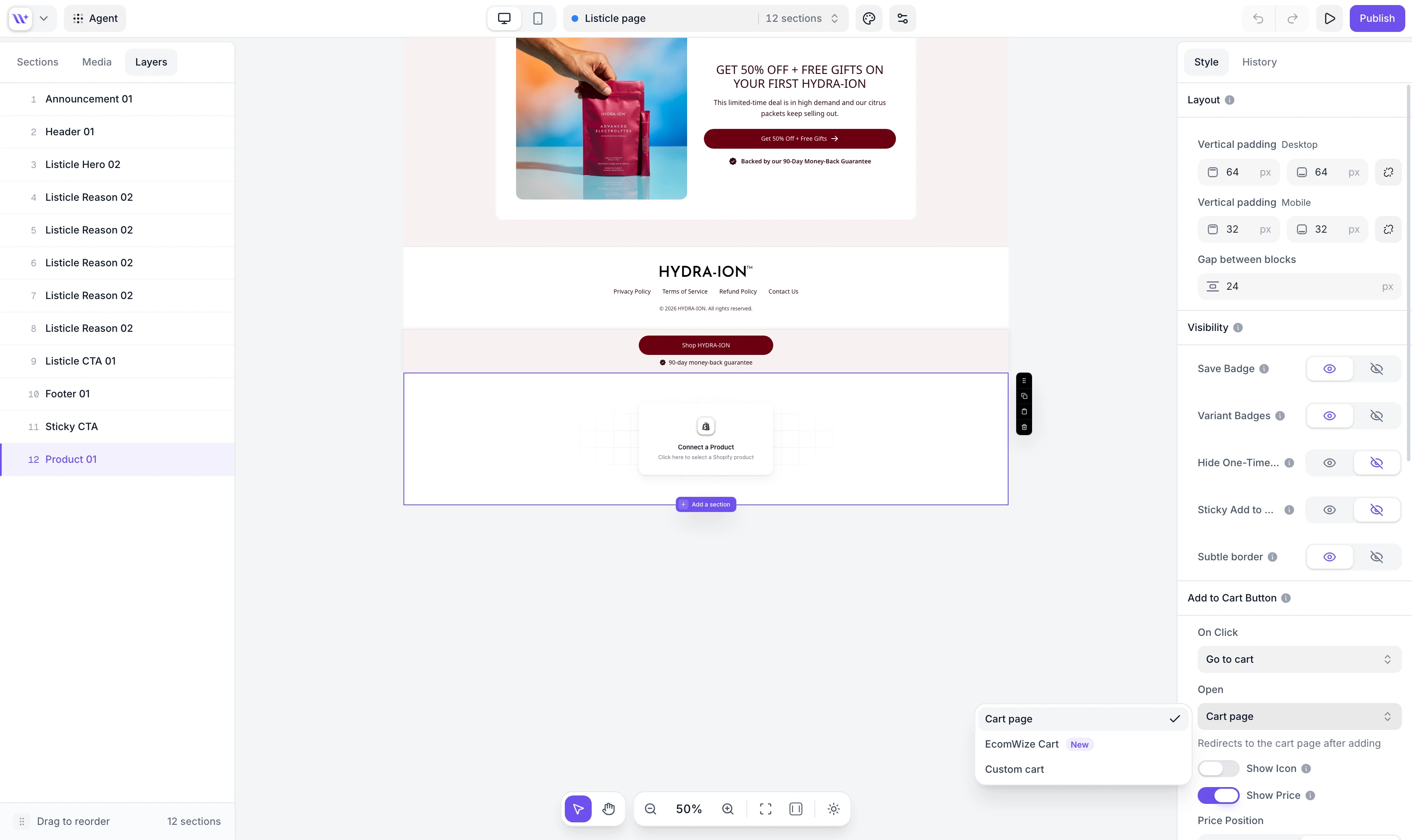
EcomWize supports the built-in cart drawer from the following Shopify themes:
Theme | Notes |
Dawn / Sense | Shopify's default free themes |
Flex | |
Focal | |
Impact | |
Shrine Pro | |
Minimog | |
Taste | |
Debutify | |
Sleek | |
Horizon | |
Smart Theme |
EcomWize also integrates with the following third-party cart drawer apps:
App | Description |
UpCart | In-cart upsell and cross-sell cart drawer |
Rebuy | Smart cart with AI-powered recommendations |
Slide Cart | Customizable slide-out cart drawer |
Monster Upsells | Cart drawer with upsell and cross-sell features |

Add an Add to Cart snippet
In your product section, add the Add to Cart snippet if it is not already present.
Open Section Settings
Select the product section to open the Section Settings panel (right sidebar).
Set On Click to Go to cart
Under Add to Cart Button, set the On Click action to "Go to cart".
Choose your cart type
Set the Open option to "EcomWize Cart" (built-in, with a Configure cart drawer button) or "Custom cart" to use your theme or a third-party cart app.
Select your cart drawer
If you chose "Custom cart", choose your installed theme or app from the Cart Drawer dropdown. The dropdown is organized into two groups: Themes and Apps.
The App Star Rating snippet in product sections integrates with popular Shopify review apps to display your product's star rating widget on the published page.
App | Description |
Loox | Photo reviews and star ratings |
Yotpo | Reviews, ratings, and UGC platform |
Stamped.io | Product reviews and loyalty |
Judge.me | Product reviews with photo and video support |
Okendo | Customer reviews and marketing platform |
TrustWILL (Trustoo) | Product reviews and trust badges |
Add an App Star Rating snippet
In your product section, add the App Star Rating snippet.
Open Section Settings
Select the product section to open the Section Settings panel (right sidebar).
Select your reviews provider
Under Star Rating Widget, choose your installed review app from the Reviews Provider dropdown.