Watch this quick overview to see how EcomWize works:
Getting started with EcomWize takes just a few minutes. Follow the steps below to create your account and land on your dashboard.
Go to the signup page
Visit app.ecomwize.io and click Sign Up. You can create an account using your email address.
Enter your email
Provide your email address and click Continue. EcomWize uses magic link authentication - you will receive a sign-in link in your inbox. Click the link to log in. No password is needed.

Complete the onboarding survey
After verifying your email and logging in for the first time, you will be taken through a short 3-step onboarding survey. This helps us personalize your experience.
Step 1 - Work type Select the option that best describes you:
Agency
Brand
Freelancer
Other
Step 2 - How did you hear about us? Choose how you discovered EcomWize:
X / Twitter, LinkedIn, Instagram, TikTok
Google Search, YouTube, Newsletter, Podcast
Word of mouth, From a friend / colleague, From a client
Ad I saw, Other
Step 3 - What is your goal? Tell us what you want to accomplish:
Build a new store from scratch
Improve my store's conversion rate
Update existing parts of my store
Launch faster without developers
Something else (with a free-text field)

Watch the tutorial (optional)
On your first visit to the page builder, a tutorial modal will appear with a short video walkthrough showing you how to use EcomWize. You can watch it to get oriented, or click Skip for now to jump straight into building.
Once you complete onboarding, you will land on the Dashboard. This is your home base for creating and managing pages.
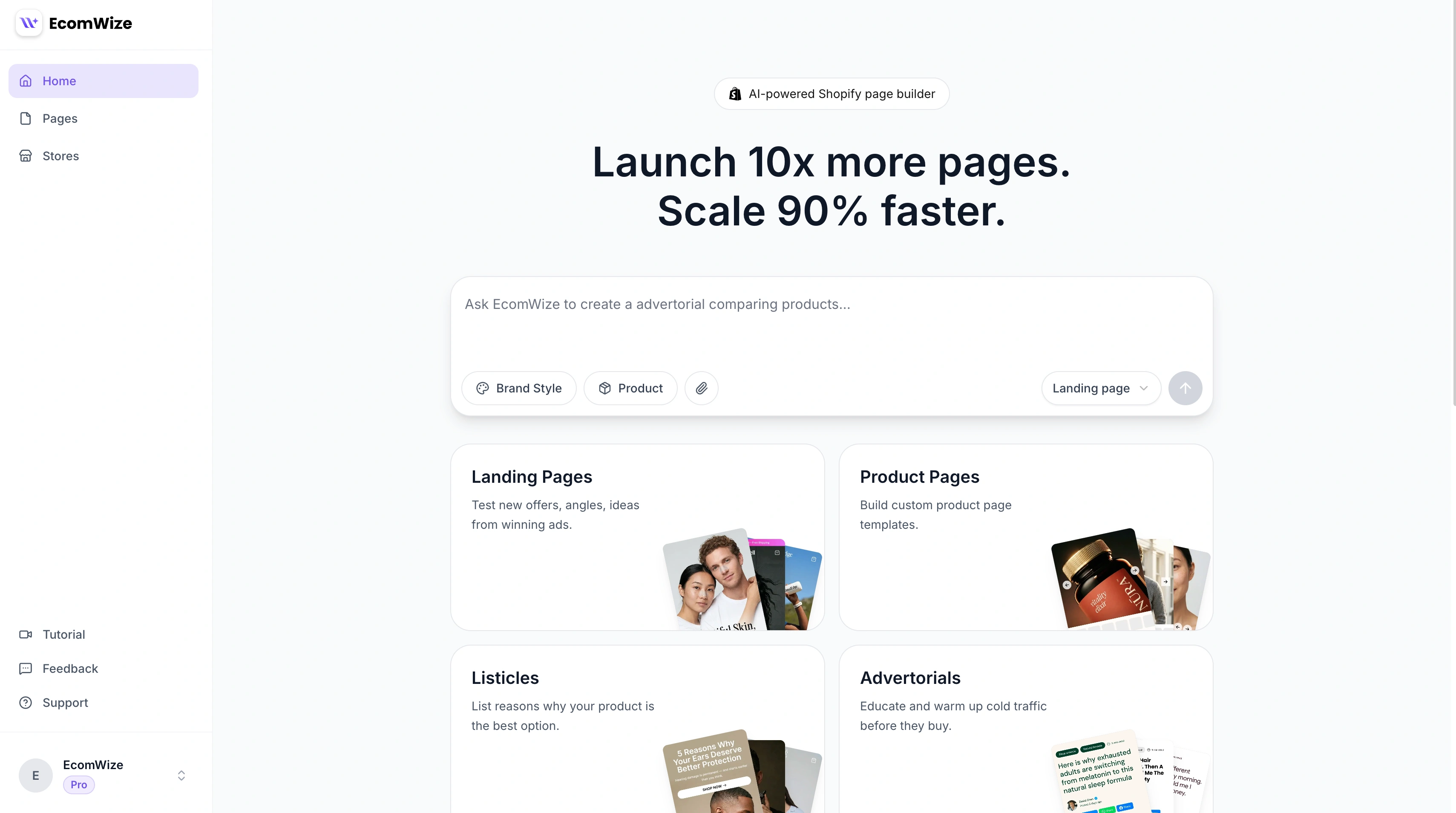
From the dashboard, you can:
Create a new page using the prompt input or by selecting a page type card
Browse your existing pages in the pages list
Connect a Shopify store from the Stores page
Manage your brand styles for consistent design across pages
Access account settings including your plan and billing
Connect your Shopify store - Link your store to start publishing pages.
Create your first page - Build a landing page from scratch or from a template.
EcomWize uses magic link authentication. To log in, enter your email address on the login page and click Continue. A sign-in link will be sent to your inbox - click the link to access your account. No password is required.