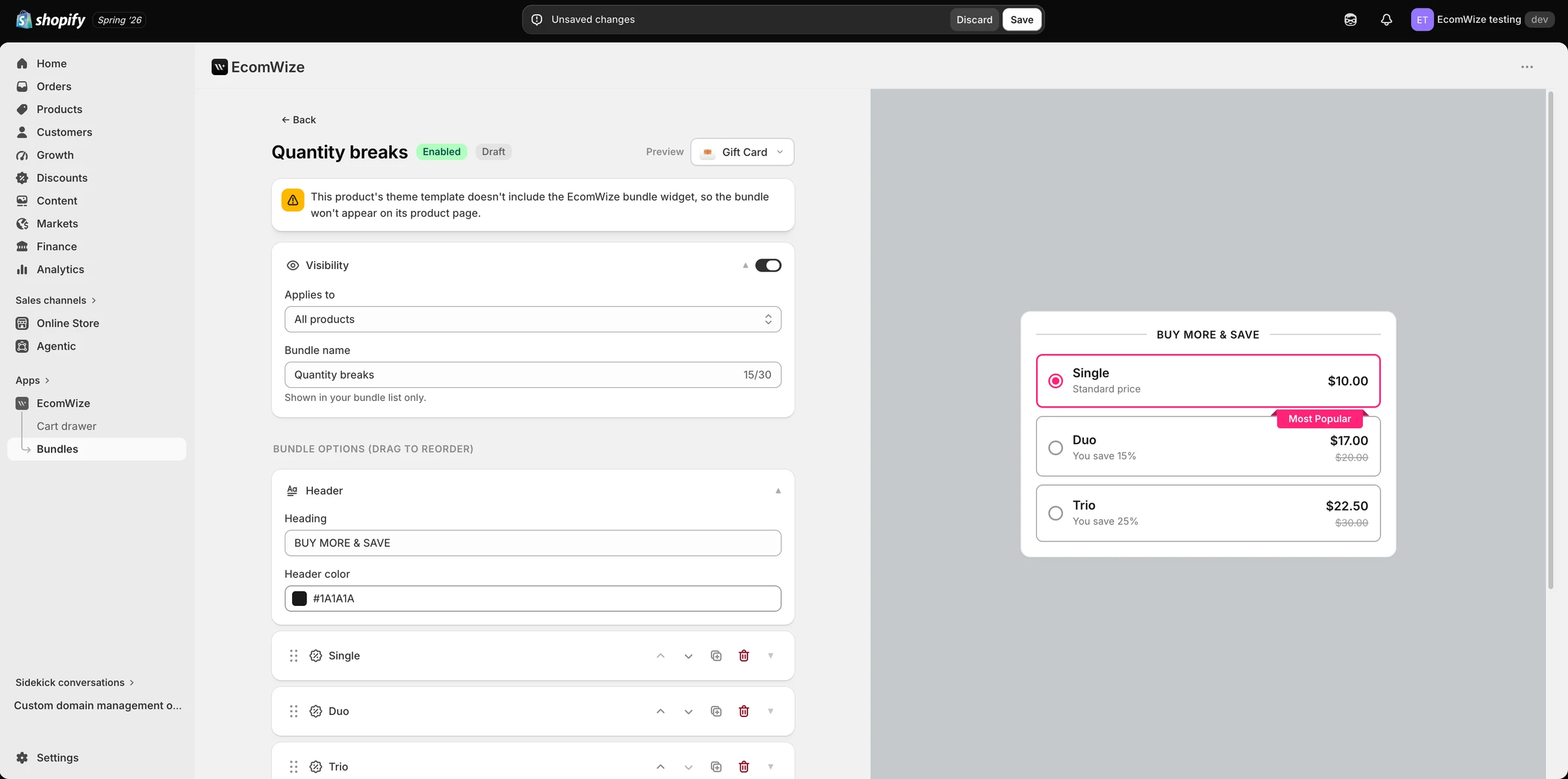
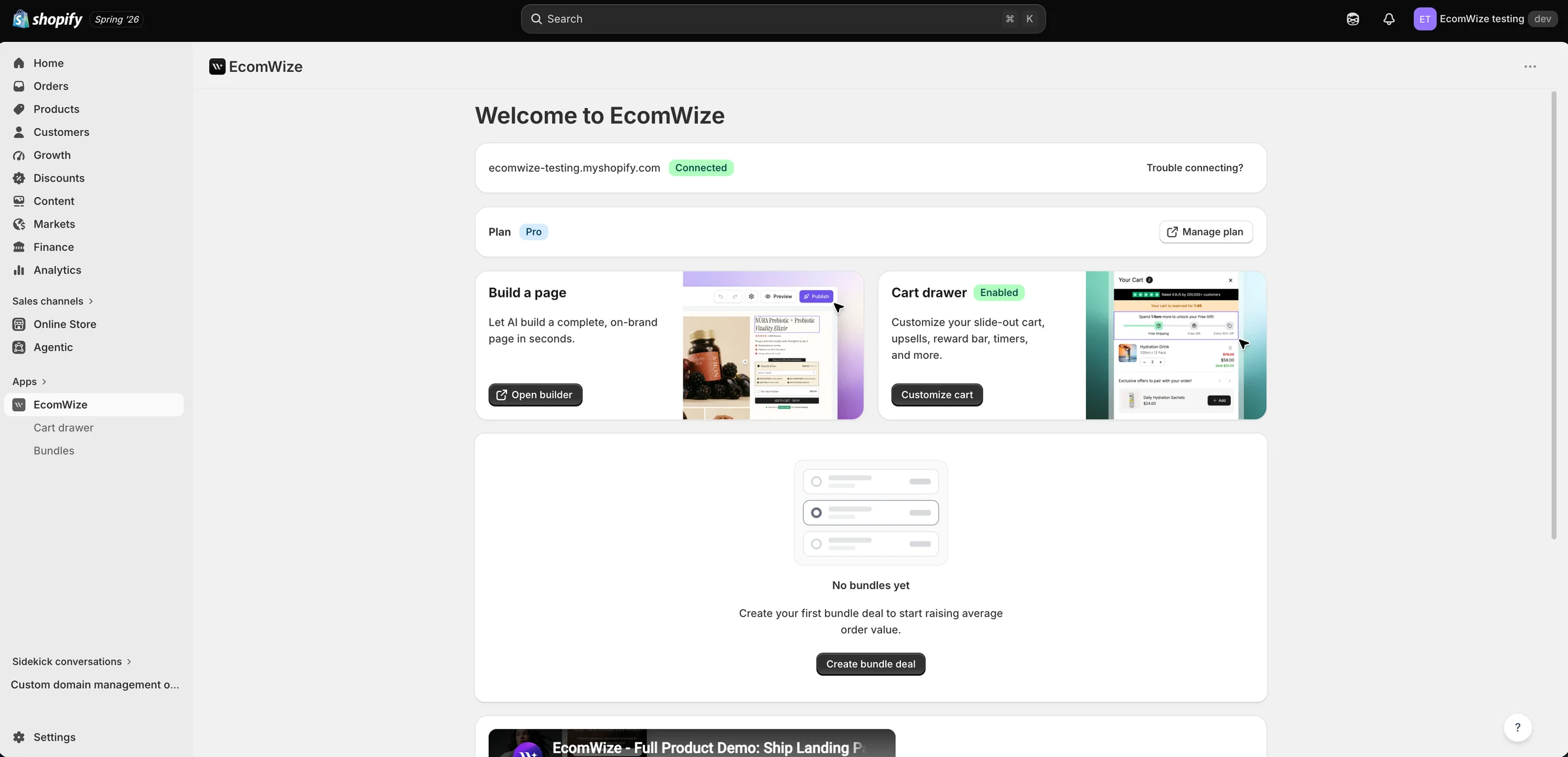
EcomWize includes bundles (like "Buy 2, Save 15%"), a slide-out cart drawer with a rewards bar, and one-tap upsells on every paid plan (Starter and up). They match your brand style automatically and replace separate bundle and cart apps. You manage them from the EcomWize app inside your Shopify admin.
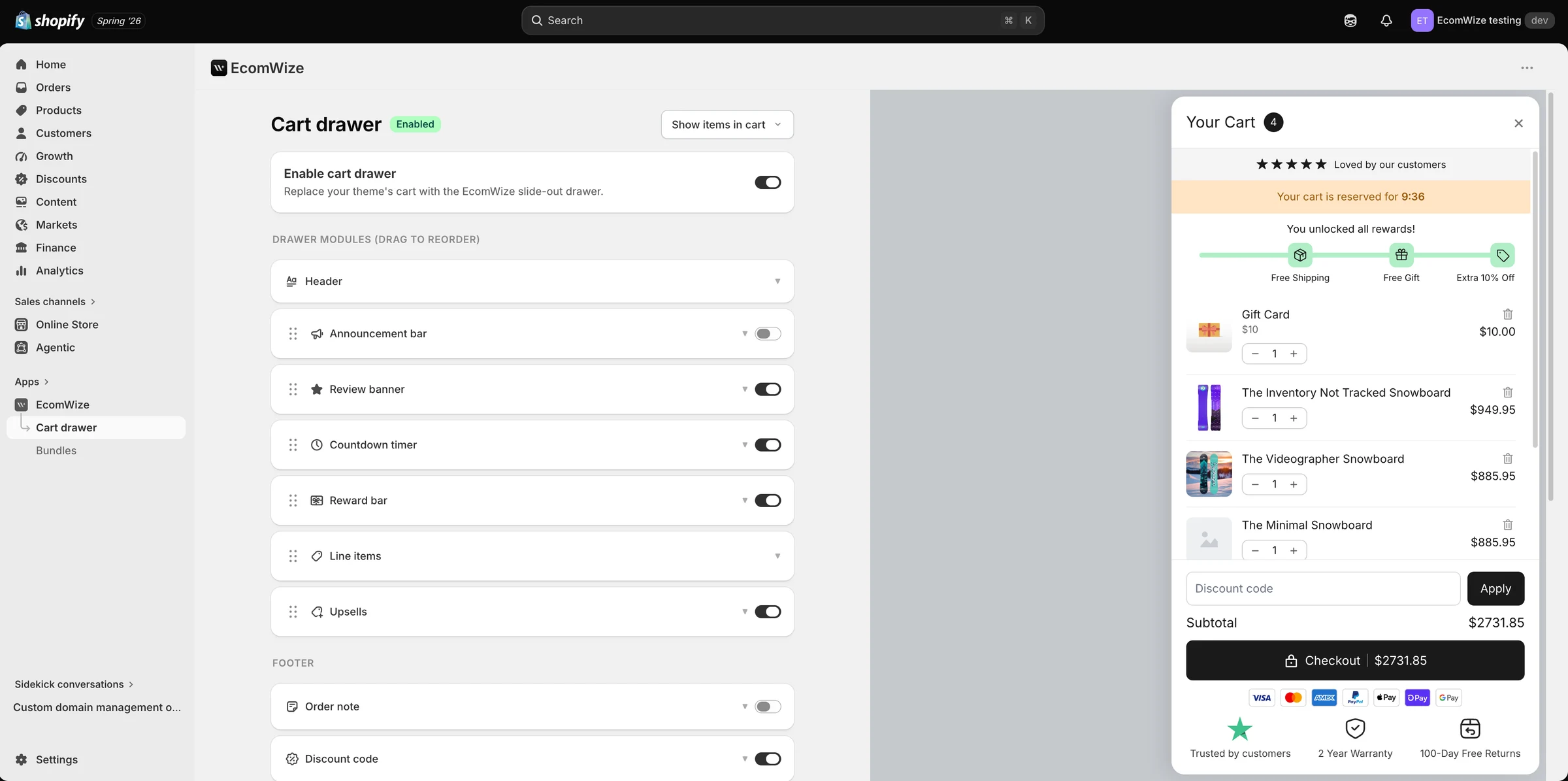
Open the EcomWize app in Shopify admin and go to Cart drawer. Toggle "Enable cart drawer" to replace your theme's cart with the EcomWize slide-out drawer. Drag to reorder drawer modules: Header, Announcement bar, Review banner, Countdown timer, Reward bar (free shipping, free gifts, discounts), Line items, Upsells, plus footer modules like Order note and Discount code. The live preview on the right shows the drawer exactly as buyers will see it.

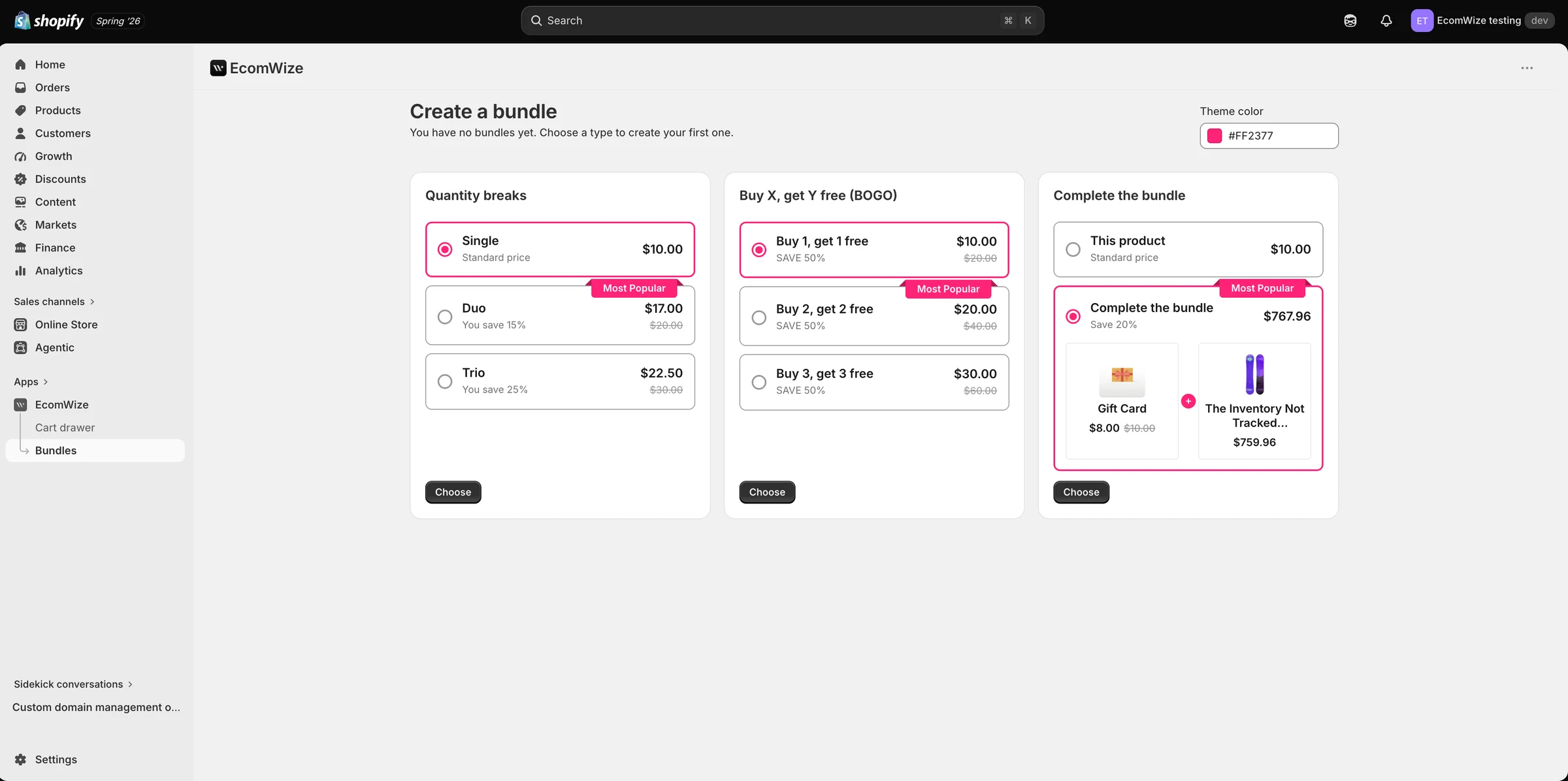
In the EcomWize app, go to Bundles and click "Create bundle deal". Choose from three bundle types: Quantity breaks (Single / Duo / Trio pricing tiers), Buy X get Y free (BOGO), and Complete the bundle (pair complementary products with a discount). You can set a theme color to match your store.
Each bundle has an editor where you set visibility (which products it applies to), the header text and color, and the individual options with their discounts. The preview shows the widget exactly as it renders on your product page.